Digital vs Print Picture Frames
Digital vs print picture frames compared on cost, screen quality, power, upkeep and wall space, so you can decide which one suits your photos and your room.
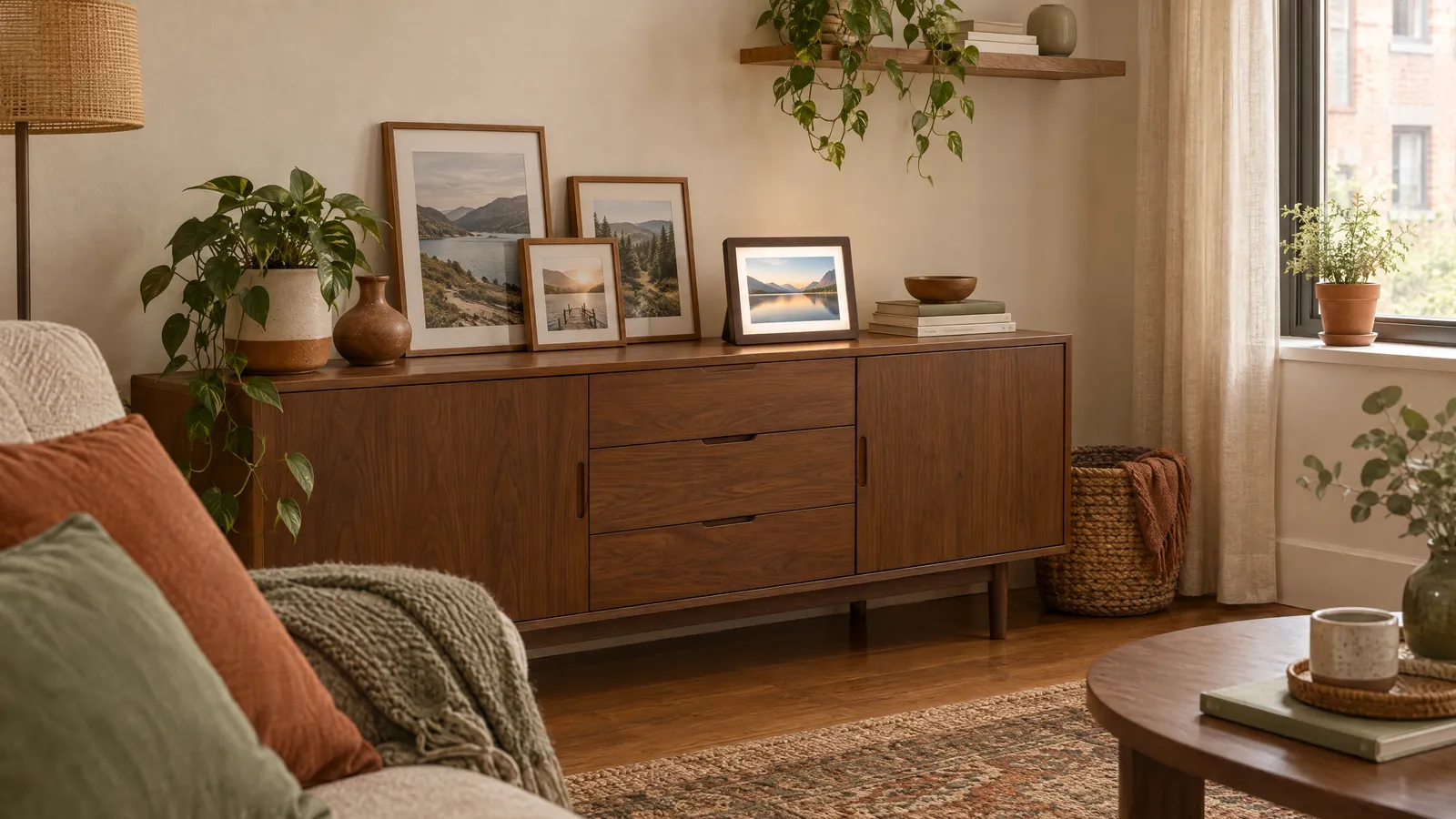
The short answer
Choose a digital frame if you have hundreds of photos you never look at, want one spot that keeps changing, or want to share new pictures with a relative who lives far away. Choose print frames if you want a few favorite images on the wall, no cords or apps, and something that looks like art rather than a screen. Many homes use one digital frame on a shelf and print frames everywhere else.
Side by side
| Digital frames | Print frames | |
|---|---|---|
| Photos shown | Hundreds or thousands on rotation | One per frame |
| Common sizes | Screens usually 7 to 10.1 inches (18 to 26 cm) diagonal; larger ones exist | 4x6, 5x7 and 8x10 inches most common; any size to poster |
| Display | Backlit screen; often 1024x600 pixels at 7 inches and 1280x800 at 10.1 inches | Paper print; no glow, no glare beyond the glass |
| Power | Needs an outlet or charging | None |
| Placement | Near an outlet; tabletop is easiest | Anywhere: wall, shelf, desk |
| Upkeep | Load photos by app, email, USB or memory card; occasional updates | Swap prints by hand; dust the glass |
| Cost level | Higher per frame | Low per frame, plus printing |
| Lifespan | Electronics, typically several years | Frames last decades; prints fade in direct sun |
When a digital frame is the better buy
A digital frame solves the problem of photos trapped on a phone. One frame can show a year’s worth of pictures in rotation, so a shelf that would hold three print frames holds hundreds of images instead.
The best use is often as a gift. Many Wi-Fi frames let family members send photos straight to the frame through an app or email, so a grandparent sees new pictures without touching a phone. If privacy matters to you, check whether the frame needs an online account, and look for one that also takes a USB stick or memory card so you can keep photos offline.
Size and shape matter. A 7-inch screen shows a picture about the size of a 4x6 print and suits a desk or nightstand; our guide to 7-inch digital photo frames covers those. A 10.1-inch screen reads better from across a room; see our guide to 10-inch digital picture frames. Most screens are wide, so tall portrait photos show with bars at the sides or get cropped. Look for a frame that can stand in portrait orientation if many of your photos are vertical.
Set the sleep schedule. A frame that glows all night in a bedroom or a studio is distracting, and turning it off overnight saves power. Most draw only a few watts, but a schedule also helps the screen last longer.
When print frames are the better buy
Prints win on looks. A printed photo behind glass reads as part of the room, never as a gadget, and it doesn’t need a cord running down the wall. If you want a gallery wall, a stair wall or a row of frames on a picture ledge, prints are the only practical choice.
They’re also cheap to start. A set of matching frames costs less than one digital frame, and our guide to 4x6 wood picture frames covers sets that work on a wall or a tabletop. For a grouped look in one hanging, see our guide to collage picture frames.
One printing tip: most phone cameras shoot in a 4:3 shape, while a 4x6 print is 3:2. Your print will lose a strip from the top or bottom unless you crop it yourself before you order, so check the preview.
If you like to change photos often but still want paper, a photo string display with clips lets you swap prints in seconds without opening a frame.
In a small space
A single digital frame saves wall and shelf space. If your apartment has one good shelf, a 10-inch frame there can do the job of a whole gallery wall. Plan for the cord: place the frame within reach of an outlet, and run the cable behind furniture rather than across a walkway.
Prints suit walls, which are the space small homes have the most of. Group small frames tightly, about 2 to 3 inches (5 to 8 cm) apart, so they read as one piece rather than clutter. Our guide to hanging a gallery wall covers spacing and center height, and our guide to renter-friendly wall decor covers hanging frames without drilling.
Light frames of 4x6 or 5x7 size can usually go up with adhesive strips or small nails. Check the weight rating on the package and include the glass in the weight. A digital frame hung on the wall needs a cord route, so most people keep them on a table.
Care and lifespan
Digital frames: dust the screen with a dry microfiber cloth, keep them out of direct sun, which washes out the picture and heats the electronics, and install updates if the frame offers them. Expect several years of use; the screen and storage are the parts that age.
Print frames: dust the glass and wipe it with a slightly damp cloth, never spraying cleaner directly onto the frame where it can seep behind the glass. Keep prints out of direct sun or choose UV-filtering glazing for a sunny wall. Back up the digital files of anything you print, so a faded or damaged print can be replaced.